

Dos and Don'ts to Learn Beginner English Pronunciation for Young Professionals
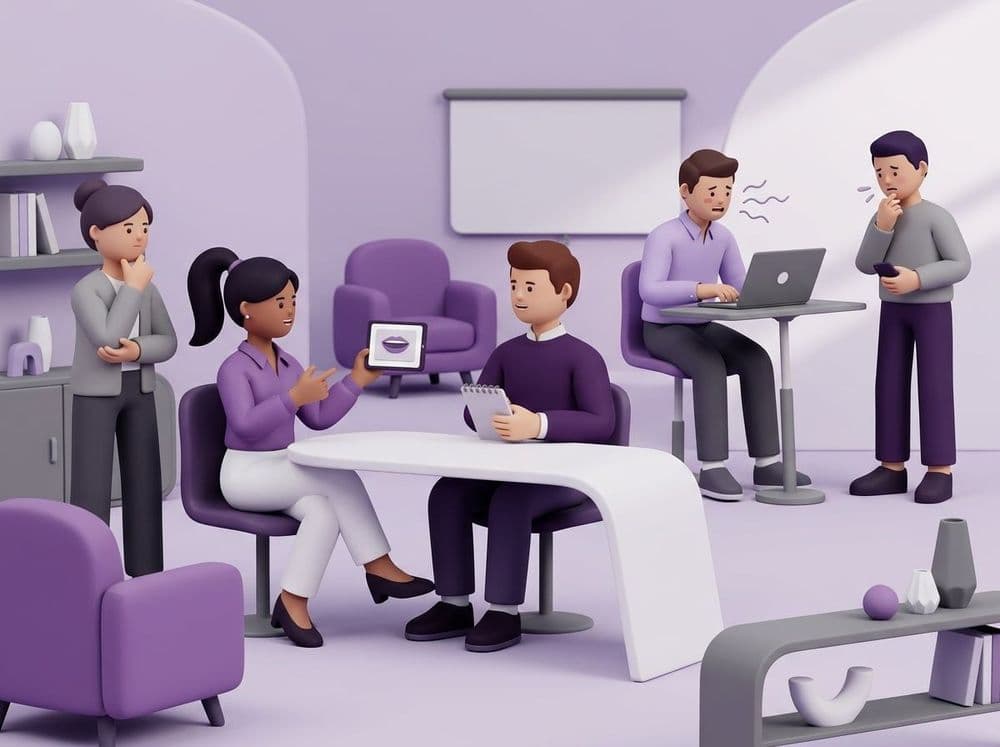
Master the dos and don'ts to learn beginner English pronunciation for young professionals. Discover physical rules to speak clearly in your next meeting.

Global corporate environments expect clear spoken communication for daily team tasks. You need to learn beginner English pronunciation so your team understands your status updates exactly the same way without asking you to repeat yourself. Our guide provides a simple breakdown of physical mouth rules and practice tools to help you speak clearly at work.
Key Takeaways
Below are the key takeaways in this guide:
- Mouth Mechanics: Open your mouth wider to make your vowels sound distinct and clear.
- Speed Control: Slow down your speaking pace to help colleagues hear every single word.
- Word Endings: Touch your tongue to your teeth to finish words completely.
- Active Practice: Loora overcomes flashcard tools by providing an advanced AI English teacher for personalized, one-on-one conversations with real-time pronunciation feedback, turning passive word knowledge into active speaking fluency.
Why Clear Pronunciation Matters in the Workplace
Clear professional speaking is a basic survival skill for junior staff. When you speak clearly, your team trusts your work and understands your ideas instantly. You don't need a perfect accent to succeed. You just need your team to hear your words easily.
We recently worked with a junior data analyst who felt very nervous making confident workplace introductions. He worried his accent made him sound less capable. We told him to stop worrying about learning complex vocabulary. Instead, he simply slowed his speaking speed down.
He also focused on pushing air out strongly at the end of his words, especially for basic office vocabulary like "project" and "budget". This small physical change greatly improved his communication. His senior managers understood his daily project updates much faster, and he stopped having to repeat himself during morning syncs. This proves that beginner English for professionals is mostly about building physical habits, not memorizing perfect grammar.
The Essential Dos and Donts of Office Pronunciation
The best workplace pronunciation tips involve changing how you physically move your jaw and tongue. The most important beginner pronunciation dos are slowing your speed down and opening your lips much wider. When you change your physical habits, your words instantly become easier for your team to hear.
Pronunciation Rules Comparison Table
| Do this | Instead of this | Why it matters |
|---|---|---|
| Open your lips wider when saying vowels. | Keeping your lips tight and closed. | English vowels need more physical space in your mouth to sound correct. |
| Touch your tongue to the roof of your mouth for T and D sounds. | Swallowing the end of the word. | Pronouncing word endings clearly stops confusion when sharing numbers or project names. |
| Pause for a full second between sentences. | Rushing to finish your update quickly. | A slow pace gives listeners time to process basic office vocabulary. |
| Push air out strongly on P and B sounds. | Making soft breath sounds. | Avoiding native-language habits requires building new physical muscle memory for words. |
| Take a small breath before speaking. | Speaking while holding your breath or feeling tense. | Breathing before speaking relaxes your vocal cords and makes your voice sound stronger. |
| Make the first part of important words louder. | Saying every part of the word at the exact same volume. | English uses word stress and syllable emphasis to show meaning. Making the main syllable louder helps colleagues recognize the word instantly. |
How to Practice Beginner Pronunciation in Private
Junior professionals need a judgment-free practice environment to build physical muscle memory for English sounds away from their managers. Tapping a screen during your commute only builds passive vocabulary memory, so you must actually move your jaw to master practicing sounds in private.
Flashcard Apps vs AI English Tutors Comparison
| Feature | Duolingo Gamified App | Memrise Flashcard App | Loora AI English Tutor |
|---|---|---|---|
| Speaking focus | Focuses on gamified vocabulary and basic sentence structure. The user primarily taps screens to answer questions instead of physically forming sounds. | Focuses on fast vocabulary expansion using video clips of native speakers. The user listens and memorizes but rarely produces spoken output. | Focuses entirely on live professional speaking and real-time pronunciation correction. The user must actively move their mouth to drive the session forward. |
| Scenario realism | Uses isolated sentences and cartoon characters. It doesn't replicate actual workplace scenarios or the physical act of talking to a coworker. | Uses short everyday video snippets. It provides real-world visual context but doesn't simulate an interactive office environment. | Simulates real professional situations like daily stand-ups and presentations. The Loora AI conversational partner reacts dynamically to your actual spoken words. |
| Professional relevance | Teaches general vocabulary like animals and food. It lacks specific corporate terminology needed for team meetings. | Teaches conversational phrases useful for casual chats. It isn't designed to help junior staff master corporate communication. | Targets career professionals with specific modules for job interviews and business meetings. It teaches the exact vocabulary needed for corporate settings. |
| Role-play flexibility | Follows a rigid linear path with Duolingo translation games. Users can't change the topic or direct the lesson to fit their workday. | Follows structured Memrise flashcard repetition paths. Users can't practice free-flowing dialogue or test new mouth shapes. | Offers interactive multi-turn role-plays where you can discuss any topic imaginable. The AI adapts the script based on your industry and level. |
| Multi-turn dialogue | Interaction is strictly one-directional question and answer. There is no back-and-forth conversation to build speaking rhythm. | Interaction involves watching a clip and answering a prompt. It doesn't support ongoing dialogue or follow-up questions. | Supports deep conversations with follow-ups and pushback. The AI responds naturally to maintain a continuous dialogue loop. |
| Feedback depth | Provides a simple correct or incorrect text signal. It doesn't analyze your mouth mechanics or accent. | Tests whether you recognize a word visually or audibly. It doesn't provide feedback on your spoken delivery. | Provides real-time pronunciation correction and grammar highlights as you speak. It analyzes your specific accent to identify exact sound struggles. |
| Conversation pressure simulation | Completely low-pressure and paced by the user tapping a screen. It doesn't simulate the urgency of a live conversation. | Paced by spaced repetition algorithms. This completely removes the social pressure of speaking in real time. | Simulates the pressure of a live stakeholder conversation by asking unexpected follow-up questions. It forces the user to think and speak on their feet. |
| Context awareness | Treats all vocabulary words identically regardless of social context. It ignores professional workplace tone. | Shows words in specific video contexts but can't adapt to your personal workplace situation. | Understands the professional context of your conversation. It offers native-level suggestions to make your phrasing sound natural for the office. |
| Preparation for real meetings | Builds basic word recognition. It fails to prepare you for physically speaking in front of colleagues. | Helps you understand native speakers. It doesn't train your mouth to reply to them clearly. | Directly transfers practice to workplace communication. It builds the physical muscle memory required for fast, real-time conversations. |
| Custom scenario creation | Users can't create custom situations. The app dictates the entire learning path. | Users select pre-made decks. They can't design specific conversational scenarios to rehearse. | Users can set up highly specific situations like a quarterly earnings presentation. You can rehearse a real conversation before it happens. |
| Best real-world outcome | The user can read basic signs and translate simple sentences on a screen. | The user can recognize spoken words quickly when listening to native speakers. | The user performs confidently in real professional conversations without hesitation. |
Conclusion
Developing beginner English pronunciation is entirely about physical muscle repetition. Memorizing vocabulary on a screen will not change how your jaw and tongue move in a real meeting. You must actively rehearse those sounds out loud.
Building speaking confidence requires a space where you can make physical mistakes safely, without the pressure of a live Zoom call. Start applying these mouth mechanics to your basic office vocabulary today. Then, use Loora to practice those specific sounds in a private setting. Daily targeted rehearsal with an AI tutor will help you master early career communication skills. Over time, these physical movements will become automatic, ensuring your team always hears you clearly and respects your professional contributions.